What is Video Editing? A Complete Beginner Guide (2026)
Introduction
Video content is dominating the internet in 2026. From YouTube videos to Instagram Reels and TikTok clips, video has become the most powerful way to share information and entertain audiences. However, raw footage alone cannot create an engaging video. This is where video editing plays an important role.
Video editing helps transform simple recordings into professional and engaging content by cutting, arranging, and enhancing video clips. In this beginner guide, you will learn what video editing is, how it works, tools you need, and how to start learning video editing from scratch.
What is Video Editing?
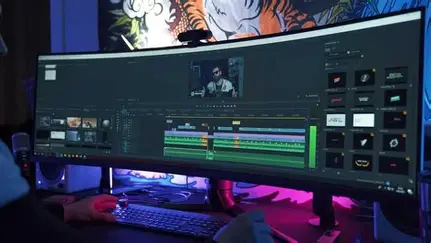
Video editing is the process of selecting, arranging, trimming, and improving video clips to create a final polished video. Editors combine multiple clips, add music, effects, transitions, and text to make the video more engaging and understandable.
In simple words, video editing turns raw footage into a finished story.
For example:
A YouTuber records several clips.
The editor removes mistakes.
Adds music, subtitles, and transitions.
The final video becomes smooth and professional.
This process is called video editing.
Why Video Editing is Important
Video editing is essential because it improves the overall quality and impact of a video.
Here are some key reasons why video editing matters:
1. Improves Storytelling
Editing helps arrange clips in the correct order so viewers understand the story clearly.
2. Removes Mistakes
Editors cut out unwanted parts, pauses, and mistakes from the footage.
3. Makes Videos Engaging
Adding effects, music, and transitions keeps viewers interested.
4. Professional Look
Editing gives videos a polished and professional appearance.
5. Increases Audience Retention
Well-edited videos keep viewers watching longer, which is important for platforms like YouTube.
Basic Video Editing Elements
Every beginner should understand these basic video editing elements.
Cutting and Trimming
Removing unnecessary parts of the video to keep it clean and focused.
Transitions
Transitions are visual effects used to smoothly switch from one clip to another.
Text and Titles
Editors add captions, titles, and subtitles to explain the content.
Background Music
Music adds emotion and makes the video more interesting.
Color Correction
Adjusting brightness, contrast, and colors to make the video look better.
Sound Editing
Balancing audio levels and removing background noise.
Best Video Editing Software for Beginners (2026)
There are many video editing tools available for beginners.
CapCut
A popular free editor used for YouTube Shorts, Reels, and TikTok videos.
Filmora
Easy-to-use software with many built-in effects and templates.
Adobe Premiere Pro
A professional video editing software widely used by filmmakers and YouTubers.
DaVinci Resolve
A powerful free editing tool known for advanced color grading.
Canva Video Editor
A simple online editor perfect for beginners and social media creators.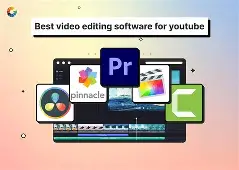
How to Start Learning Video Editing
If you want to learn video editing from scratch, follow these simple steps.
1. Choose a Simple Editing Software
Start with beginner-friendly tools like CapCut or Filmora.
2. Learn Basic Editing Tools
Understand trimming, cutting, transitions, and adding text.
3. Practice with Short Videos
Try editing small clips, reels, or short videos daily.
4. Watch Tutorials
YouTube tutorials are a great way to learn new editing techniques.
5. Create Your Own Projects
Practice by editing your own travel videos, vlogs, or educational content.
Common Video Editing Mistakes Beginners Make
Many beginners make similar mistakes when learning editing.
Adding too many transitions and effects
Using loud or distracting background music
Not balancing audio levels
Poor color correction
Making videos too long and boring
Avoiding these mistakes will make your videos look more professional.
Can You Make Money
Yes, this skill is a high-demand digital skill in 2026. Many creators and companies need skilled video editors.
You can earn money through:
Freelancing on Fiverr and Upwork
Editing videos for YouTubers
Creating social media content
Working with digital marketing agencies
Starting your own YouTube channel
Experienced video editors can earn $500 to $3000+ per month depending on their skills and clients.
Conclusion
Video editing is an essential skill for content creators, marketers, and filmmakers. It allows you to transform raw footage into professional and engaging videos that capture audience attention.
With the right tools and consistent practice, anyone can learn editing. Start with simple software, practice regularly, and improve your skills over time. In 2026, editing is not only a creative skill but also a valuable career opportunity.
.jpg)

